


MUTE button (models without Hands-free system)
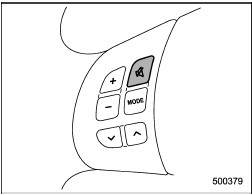
Press the “ ” button if you wish
to immediately cut the volume to zero.
” button if you wish
to immediately cut the volume to zero.
The audio display will show “MUTE”.
If you press the button again, the original sound volume will return and “MUTE” turns off.
See also:
New vehicle break-in driving – the first 1,000 miles (1,600 km)
The performance and long life of your vehicle are dependent on how you handle
and care for your vehicle while it is new. Follow these instructions during the
first 1,000 miles (1,600 km):
● ...
Styling
The Impreza is athletically styled, avoiding the bulbous look that plagues
some hatchbacks, including the Pontiac Vibe. One of the 2.5GT's most noticeable
styling features is its hood scoop, which ...
N (Neutral)
This position is for restarting a stalled
engine.
In this position the wheels and transmission
are not locked. In this position, the
transmission is neutral; the vehicle will roll
freely, eve ...