


Tone and balance control
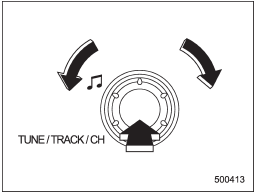
Type A and B audio
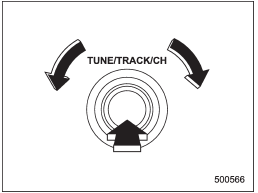
Type C audio
Each brief press of the sound control dial changes the control modes in the following sequence.
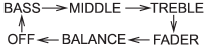
Choose the desired level for each mode by turning the sound control dial.
The control function returns to the tune/ track/channel control mode after approximately 5 seconds.
See also:
Brake pedal
Check the brake pedal free play and
reserve distance according to the maintenance
schedule in the “Warranty and
Maintenance Booklet”. ...
Starting your vehicle
The remote engine start system is activated by pressing the “” button twice within 3 seconds on your remote engine start transmitter. The system will check certain pre-conditions before starting, an ...
Passenger’s frontal airbag ON and OFF indicators
Refer to “Front passenger’s frontal airbag ON and OFF indicators”. ...