


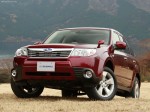
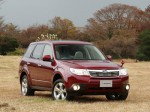
Subaru Forester (2008)
Subaru Forester / Gallery / Subaru Forester (2008)
|
|

|

|

|

|
See also:
Driving in foreign countries
When planning to use your vehicle in another country:
● Confirm the availability of the correct fuel. Refer to “Fuel requirements”
F7-2.
● Comply with all regulations and requirements ...
Vehicle placard
The vehicle placard is affixed to the driver’s side B-pillar.
Example:
The vehicle placard shows original tire size, recommended cold tire inflation
pressure on each tire at maximum loaded veh ...
Bluetooth® audio (type C and D audio)
This function enables you to play back
audio sources from Bluetooth® audio
devices. You need to register the Bluetooth
® audio device in the system before
using it. ...