


MUTE button (if equipped)
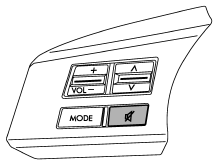
Press this button if you wish to immediately cut the volume to zero.
The audio display will show “MUTE”. If you press the button again, the original sound volume will return and “MUTE” turns off.
See also:
Before driving your vehicle
Before entering the vehicle, remove any snow or ice from your shoes because that could make the pedals slippery and driving dangerous.
While warming up the vehicle before driving, check that the acce ...
Unfastening the rear center seatbelt
Push the release button of the center seatbelt buckle (on the left-hand side)
to unfasten the seatbelt.
1. Insert a key or other hard pointed object into the slot in the connector (buckle)
...
To arm the system using remote transmitter
1. Close all windows and the moonroof (if equipped).
2. Remove the key from the ignition switch.
3. Open the doors and get out of the vehicle.
4. Make sure that the engine hood (and the trunk lid ( ...