


When CD is in the player (type A)/ When playing back all CDs in the player (type B)
Subaru Legacy / Subaru Legacy Owners Manual / Audio / CD player operation / How to play back a CD / When CD is in the player (type A)/ When playing back all CDs in the player (type
B)
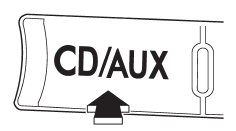
When the “CD/AUX” button is pressed, the player will start playback.
See also:
2011 Subaru Legacy review
The Subaru Legacy has been redesigned for 2010 and now boasts a bigger
backseat and improved gas mileage, with the same nimble steering the 2009 model
had. Snowbelt drivers will appreciate its sta ...
Construction type
Applicable construction of this tire.
For example, “TUBELESS STEEL BELTED RADIAL” ...
Selecting preset stations
Presetting a station with a preset button allows you to select that station in a single operation. Up to six AM, FM1, FM2 and FM3 stations each may be preset. ...