


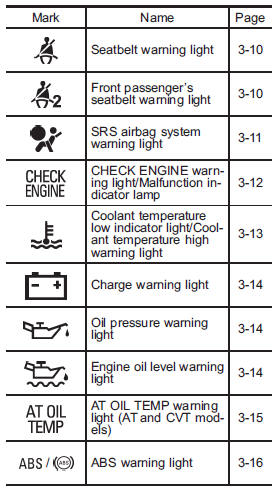
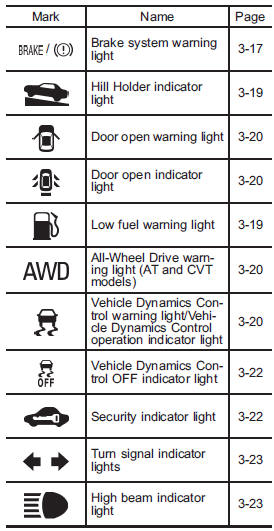
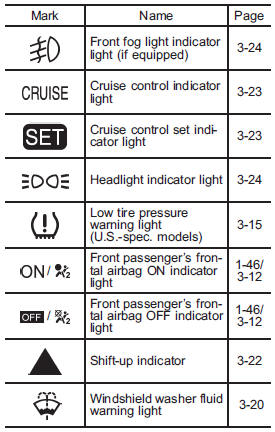
Warning and indicator lights
Subaru Legacy / Subaru Legacy Owners Manual / About vehicle / Illustrated index / Warning and indicator lights
See also:
Brake booster
The brake booster uses engine manifold vacuum to assist braking force. Do not turn off the engine while driving because that will turn off the brake booster, resulting in poor braking power.
The brak ...
Moonroof – if moonroof cannot be closed
If the moonroof cannot be closed with the moonroof switch, you can close the moonroof manually.
1. Take out the hex-head wrench and screwdriver from the tool bag.
2. Remove the spotlight lens by p ...
Checking the clutch pedal free play
1) 0.16 – 0.43 in (4.0 – 11.0 mm)
Lightly depress the clutch pedal down with your finger until you feel resistance, and check the free play.
If the free play is not within proper specification, co ...