


Non-turbo models
Subaru Impreza / Subaru Impreza Owners Manual / Specifications / Specifications / Engine oil / Non-turbo models
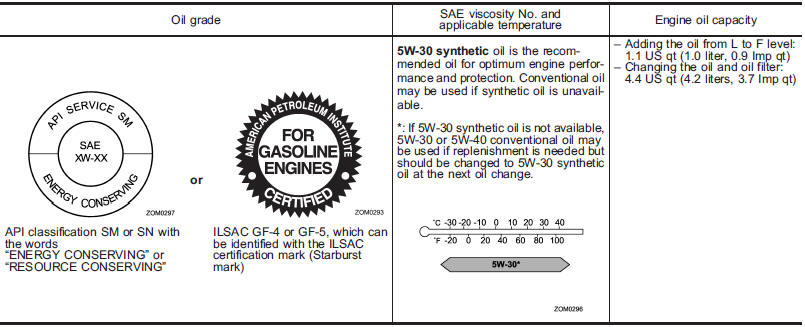
See also:
Check the fluid level monthly.
1. Drive the vehicle several miles to raise the temperature of the transmission
fluid up to normal operating temperature; 158 to 1768F (70 to 808C) is normal.
2. Park the vehicle on a level surface ...
Sun visors
To block out glare, swing down the visors. To use the sun visor at a side window,
swing it down and move it sideways. ...
2010 Subaru Legacy review
The 2010 Subaru Legacy's redesign has been long overdue. Its sophisticated
new look is sleek, but as Mom always says it's what's on the inside that counts.
The sedan's redesign added nearly 4 inch ...