


Map light
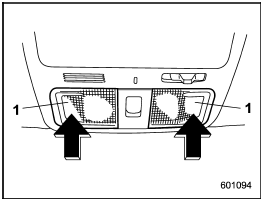
Map light
1) Map light switch (lens)
To turn on the map light, push the lens.
To turn it off, push the lens again.
When leaving the vehicle, make sure the lights are turned off to avoid battery discharge.
See also:
Wiper operation when snowing
Before driving in cold weather, make sure the wiper blades are not frozen to the windshield or rear window.
If the front wiper blades are frozen to the windshield, use the defroster with the airflow ...
Adverse safety consequences of overloading on handling and stopping and on tires
Overloading could affect vehicle handling, stopping distance, vehicle and tire
as shown in the following. This could lead to an accident and possibly result in
severe personal injury.
● Veh ...
Door step light
1. Remove the lens by prying the edge of the lens with a flat-head screwdriver.
2. Pull the bulb out of the socket.
3. Install a new bulb.
4. Reinstall the lens. ...