


Type D audio
When in the SAT mode, press the  button to change the category search
mode.
button to change the category search
mode.
When in the category search mode, press the following button to change the category up or down.
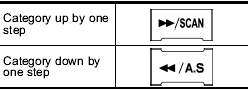
When a category is selected, turning the “TUNE/TRACK/CH” dial selects channels only within the selected category. The control function returns to the normal mode after approximately 10 seconds.
See also:
Adjustable level of each volume
...
Roof molding and crossbar (if equipped)
- For cargo carrying purposes, the
roof molding must never be used
alone to carry cargo. Otherwise,
damage to the roof or paint or a
dangerous road hazard due to
loss of cargo could ...
Power switch and volume control
Type A and B audio
Type C audio
The dial is used for both power (ON/OFF) and volume control. The radio is turned ON and OFF by pushing the dial, and the volume is controlled by turning the dial. ...