


Type B audio set (if equipped)
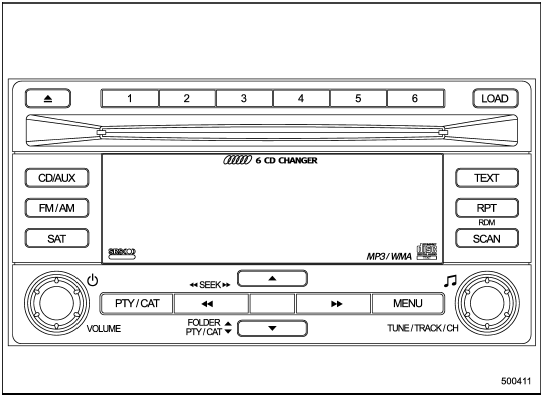
Type B audio set (if equipped)
The audio set will operate only when the ignition switch is in the “Acc” or “ON” position.
- Power and audio controls: refer to page
- Radio operation: refer to page
- Satellite radio operation (if equipped): refer to page
- CD (compact disc) player operation: refer to page
- Auxiliary input jack: refer to page
See also:
Precautions to observe when handling a compact disc
Use only compact discs (CDs, CD-Rs and CD-RWs) that have the mark shown in the following. Also, some compact discs cannot be played.
• You cannot use a DualDisc in the CD player. If you insert a ...
Recommended grade and viscosity
Each oil manufacturer has its own base
oils and additives. Never use different
brands together. For details, refer to
“Manual transmission, front differential
and rear differential gear oil”. ...
Windshield wiper and washer switches
The wiper operates only when the ignition
switch is in the “ON” or “Acc” position. ...