


Ventilation
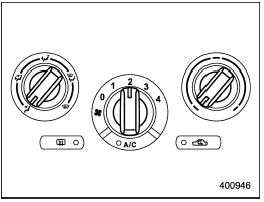
Ventilation
To force outside air through the instrument
panel outlets:
1. Set the air inlet selection button to the
OFF position.
2. Set the airflow control dial to the “ ”
position.
”
position.
3. Set the temperature control dial all the way left.
4. Set the fan speed control dial to the desired speed.
When driving on a dusty road, set the air inlet selection button to the “ON” position.

Continued operation with the air inlet selection button in the ON position may fog up the windows.
Switch to the OFF position as soon as the outside dusty condition clears.
See also:
Adjustable level of each volume
...
Summer tires
Summer tires are high-speed capability
tires best suited for highway driving under
dry conditions.
Summer tires are inadequate for driving
on slippery roads such as on snowcovered
or icy road ...
Up and Done buttons
Models without Hands-free system
Models with Hands-free system ...