


Temperature control dial
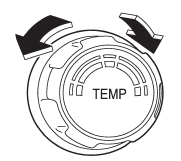
This dial regulates the temperature of airflow from the air outlets over a range from the blue side (cool) to red side (warm).
See also:
Engine coolant
The indicated coolant quantity is only a guideline. The necessary quantity for
replacement may differ slightly depending on the temperature and other factors.
For more details about maintenance ...
Other sound setting controls
Type A and B audio
Type C audio
Each brief press of the “MENU” button changes the control modes in the following sequence.
Type A audio:
Type B audio:
Type C audio:
Choose the desired sett ...
Power folding mirror switch (if equipped)
Power folding mirror switch (if equipped)
The power folding mirror switch operates only when the ignition switch is in the “ON” or “Acc” position.
To fold the outside mirrors, push the power folding ...