


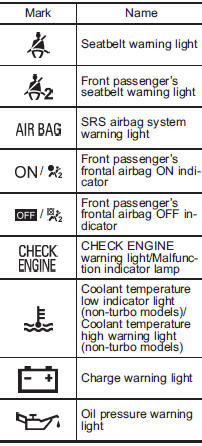
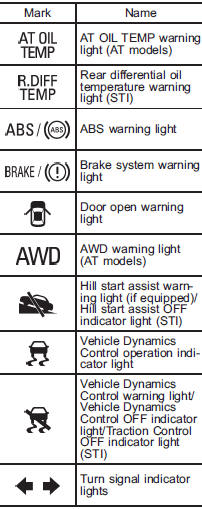
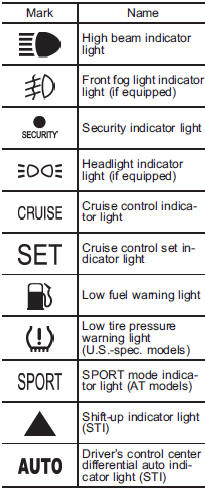
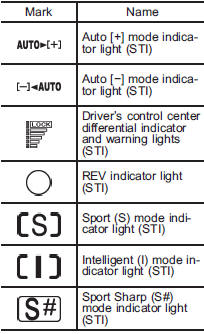
Warning and indicator lights
See also:
Tongue load
Tongue load
Ensure that the trailer tongue load is from
8 to 11 percent of the total trailer weight
and does not exceed the maximum value
of 200 lbs (90 kg).
1) Jack
2) Bathroom scal ...
Checking the fluid level
WARNING
● Never let brake fluid contact your eyes because brake fluid can be harmful
to your eyes. If brake fluid gets in your eyes, immediately flush them thoroughly
with clean water. For ...
Legacy in the Market
Subaru calls the 2010 Legacy a response to what its customers wanted —
durability, value and performance, with a bit more cabin room. Those customers
ought to be happy: The Legacy is all that, and ...