


Center console
The center console box provides a storage space. In addition, the top of the console can be used as an armrest.
To use as an armrest:
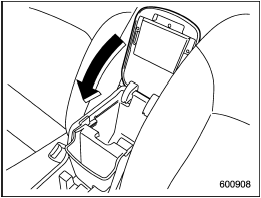
1. Tip the console top forward from its vertical position.
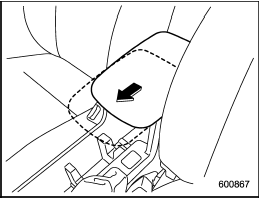
2. Push the armrest part of the console top forward to the desired position. Adjust the position of the armrest to suit your driving position. Make sure the armrest is securely retained.
To return the console top to the vertical position, raise the console top.

Do not step or sit on the armrest, and do not place heavy objects on it.
The armrest could break, and you could get hurt.
To use as storage space:
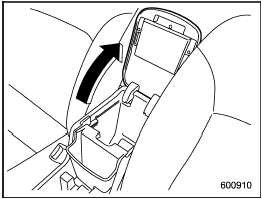
Raise the console top to the vertical position.
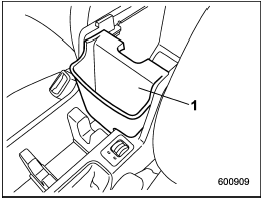
1) Pocket console
The pocket console can be used to store small items.
Be careful not to trap your hands between the console top and console box when raising and tipping the console top.
See also:
Making a phone call by saying number
1. Select the top menu (phone menu).
2. Press the talk switch .
3. Say “DIAL BY NUMBER”.
4. Press the talk switch again.
5. Say the desired phone number to be
called.
6. Select the “DIAL” menu ...
Trailer hitch (dealer option)
- Never exceed the maximum
weight specified for the trailer
hitch. Exceeding the maximum
weight could cause an accident
resulting in serious personal injuries.
Permissible trailer weight ...
Installing a booster seat
WARNING
● Child restraint systems and seatbelts can become hot in a vehicle that has
been closed up in sunny weather; they could burn a small child. Check the child
restraint system before ...