


Low beam light bulbs
1. Pull off the fender lining. For details, refer to “Pulling off the fender lining” F11- 7.
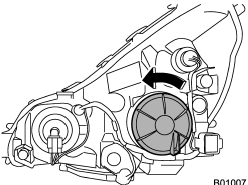
2. Remove the bulb cover, by turning it counterclockwise.
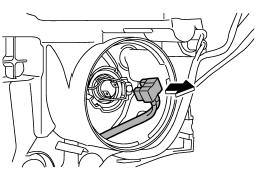
3. Disconnect the electrical connector.
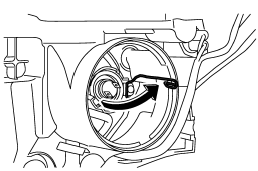
4. Remove the retainer spring.
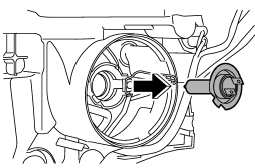
5. Replace the bulb, then set the retainer spring securely.
6. Reconnect the electrical connector.
7. Install the bulb cover.
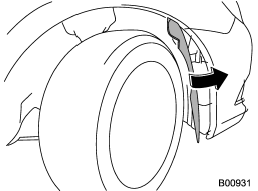
8. After replacing the bulb, reattach the fender lining.
See also:
Off road driving
WARNING
● Always maintain a safe driving speed according to the road and weather conditions
in order to avoid having an accident on a sharp turn, during sudden braking or under
other simila ...
Exciting drive
The 2.5-liter, four-cylinder turbocharged engine may also play a role in
injecting "go-fast" into your blood. The engine creates 265 horsepower and 244
pound-feet of torque, which for a ...
Brake fluid level warning
This light illuminates when the brake fluid level has dropped to near the “MIN” level of the brake fluid reservoir with the ignition switch in the “ON” position and with the parking brake fully releas ...