


Band selection
Subaru Legacy / Subaru Legacy Owners Manual / Audio / Satellite radio operation (if equipped) / Band selection
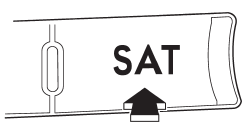
Press the “SAT” button when the radio is off to turn on the radio. Press the “SAT” button when the radio is on to select SAT1, SAT2 or SAT3 reception.
See also:
Tilting moonroof
Tilting moonroof
1) Raise
2) Lower
The tilting function will only operate when the moonroof is fully closed.
Push the rear side of the “UP/DOWN” switch to raise the moonroof.
Push the front side ...
Horn
Horn
To sound the horn, push the horn pad. ...
Off road driving
WARNING
● Always maintain a safe driving speed according to the road and weather conditions
in order to avoid having an accident on a sharp turn, during sudden braking or under
other simila ...