


Station preset
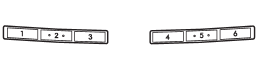
Preset buttons
See also:
Rear seatbelts (except rear center seatbelt on Outback)
1. Sit well back in the seat.
2. Pick up the tongue plate and pull the belt out slowly. Do not let it get twisted.
If the belt stops before reaching the buckle, return the belt slightly and pull
...
Temporary spare tire
When a spare tire is mounted or a wheel rim is replaced without the original pressure sensor/transmitter being transferred, the low tire pressure warning light will illuminate steadily after blink ...
Reprogramming a single HomeLink® button
1. Press and hold the HomeLink® button you wish to reprogram. DO NOT release the button until step 4 has been completed.
2. When the HomeLink® indicator light begins to flash slowly (after approximat ...