


Type A audio set (if equipped)
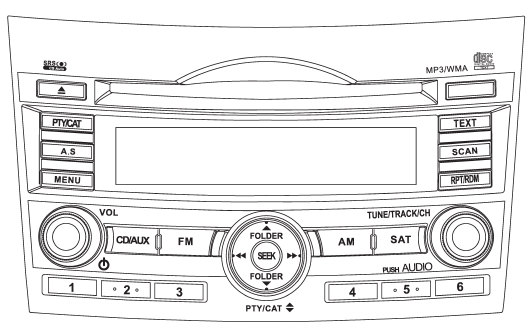
The audio set will operate only when the ignition switch is in the “Acc” or “ON” position.
● Power and sound controls: refer to page 5-6 ● Radio operation: refer to page 5-9 ● Satellite radio operation (if equipped): refer to page 5-13 ● CD (compact disc) player operation: refer to page 5-18 ● Auxiliary input jack: refer to page 5-28
See also:
Meters and gauges
NOTE
Liquid crystal displays are used in some of the meters and gauges in the combination
meter. You will find their indications hard to see if you wear polarized glasses. ...
Overhead console
Overhead console
To open the console, push on the console
lid lightly and the lid will automatically
open.
When your vehicle is in the sun or
on a warm day, the inside of the
overhea ...
Programming the transmitters
The keyless entry system is equipped with
a special code learning feature that allows
you to program new transmitter codes into
the system or to delete old ones. The
system can learn up to fou ...