


Multi function display
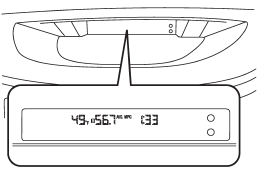
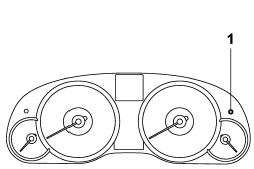
1) Multi function display switching knob
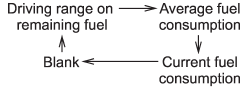
With the ignition switch in the “ON” position, each successive press of the multi function display switching knob toggles the display in the following sequence.
See also:
Low beam light bulbs
Right-hand side
1. Use a screwdriver to undo the clips on
the air intake duct, then remove the air
intake duct (right-hand side).
Left-hand side
2. Use a screwdriver to remove the
secured ...
Turbo models
1) Air intake duct 2) Air cleaner case 3) Clamp
1. Remove the hydraulic hose in the power steering system from the clip on the
air intake duct.
2. Remove the hydraulic hose from the clip on the ...
Installation of accessories
Always consult your SUBARU dealer before installing a citizen band radio or other
transmitting device in your vehicle. Such devices may cause the electronic control
system to malfunction if they a ...