


To install the cover housing
1. Shorten the bar.
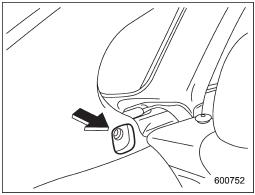
2. Insert the projections located on the both ends of the sleeve into the recesses of the retainers.
See also:
Driving in foreign countries
When planning to use your vehicle in
another country:
- Confirm the availability of the correct
fuel. Refer to “Fuel requirements”.
- Comply with all regulations and requirements
of each coun ...
Air inlet selection button
Air inlet selection button
ON position (recirculation): Interior air is recirculated inside the vehicle. Push the air inlet selection button to the ON position.
The indicator light will illuminate.
...
Rear window wiper blade assembly
1. Raise the wiper arm off the rear
window.
2. Turn the wiper blade assembly counterclockwise.
3. Pull the wiper blade assembly toward
you to remove it from the wiper arm.
4. Install the wi ...