


Forward direction
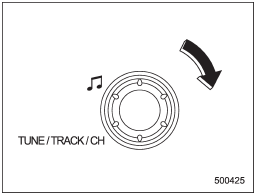
Type A and B audio
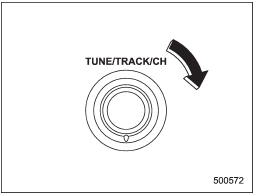
Type C audio
Turn the “TUNE/TRACK/CH” dial clockwise to skip to the beginning of the next track/file. Each time the dial is turned, the indicated track/file number will increase.
NOTE
In an MP3, WMA or AAC (type C audio) folder, skipping past the last track/file will take you back to the first track/file in the folder.
See also:
Changing the coolant
Never attempt to remove the radiator cap until the engine has been shut off and has cooled down completely. Since the coolant is under pressure, you may suffer serious burns from a spray of boilin ...
Installing a rearward facing child restraint
1. Place the child restraint system in the rear seating position.
2. Run the lap and shoulder belt through or around the child restraint system
following the instructions provided by its manufact ...
Using your Owner’s Manual
Before you operate your vehicle, carefully read this manual. To protect yourself
and extend the service life of your vehicle, follow the instructions in this manual.
Failure to observe these instr ...