


Airflow selection
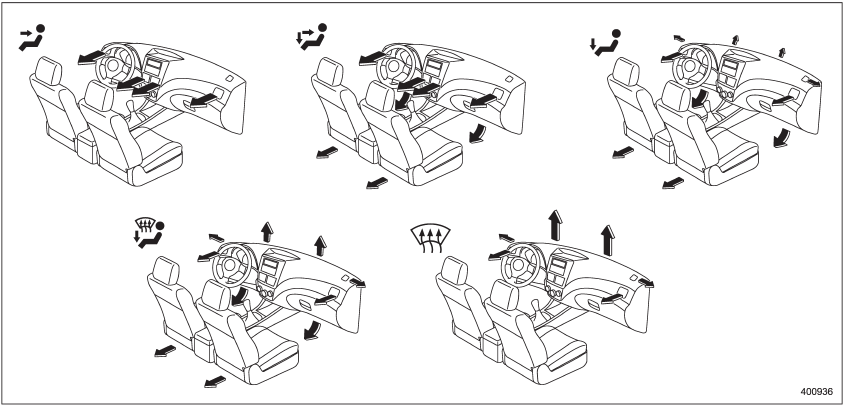
Airflow selection
See also:
Corrosion protection
Your SUBARU has been designed and
built to resist corrosion. Special materials
and protective finishes have been used on
most parts of the vehicle to help maintain
fine appearance, strength, a ...
Before starting out on a trip
● Check that the vehicle and vehicle-tohitch mounting are in good condition.
If any problems are apparent, do not tow the trailer.
● Check that the vehicle sits horizontally with the tr ...
Effect vehicle modifications made for persons with disabilities may have on
SUBARU advanced frontal airbag system operation (U.S. only)
Changing or moving any parts of the front
seats, rear seat, seatbelts, front bumper,
front side frame, radiator panel, instrument
panel, combination meter, steering wheel,
steering column, tir ...