


AT models
Subaru Impreza / Subaru Impreza Owners Manual / Instruments and controls / Ignition switch / LOCK / AT models
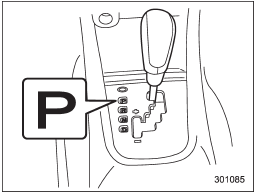
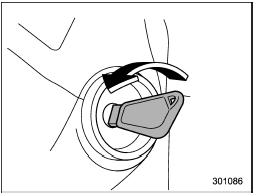
The key can be turned from “Acc” to “LOCK” only when the select lever is in the “P” position.
See also:
To hook the top tether
To hook the top tether
1. Remove the head restraint at the window-side seating position where the child restraint system has been installed with the lower anchorages or seatbelt; lift up the head res ...
Replacing the air cleaner element
Replace the air cleaner element according to the maintenance schedule in the
“Warranty and Maintenance Booklet”. Under extremely dusty conditions, replace it
more frequently. It is recommended tha ...
Rear differential gear oil
There is no oil level gauge. To check the rear differential gear oil level, we
recommend that you consult your SUBARU dealer for inspection. ...