


Operating the passengers’ windows
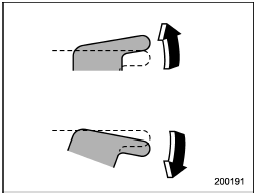
Operating the passengers’ windows
To open:
Push the appropriate switch down and hold it until the window reaches the desired position.
To close:
Pull the switch up and hold it until the window reaches the desired position.
See also:
Display selection
Refer to “Display selection”.
Page scroll
Refer to “Page (track/folder title) scroll”. ...
Wheel replacement
When replacing wheels due, for example, to damage, make sure the replacement
wheels match the specifications of the wheels that are fitted as standard equipment.
Replacement wheels are available f ...
Emergency disarming
If you cannot disarm the system using the transmitter (i.e. the transmitter is
lost, broken or the transmitter battery is too weak), you can disarm the system
without using the transmitter.
The s ...