


To arm the system using power door locking switches
1. Close all windows.
2. Remove the key from the ignition switch.
3. Open the doors and get out of the vehicle.
4. Make sure that the engine hood is locked.
5. Close the doors (and the rear gate on the 5-door) but leave only the driver’s door or the front passenger’s door open.
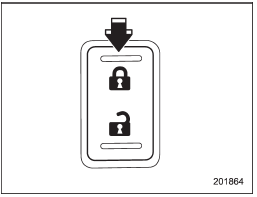
Type A
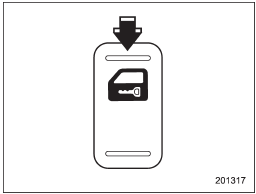
Type B
6. Push the front side (“LOCK” side) of the power door locking switch to set the door locks.
7. Close the door. An electronic chirp will sound once, the turn signal lights will flash once and the security indicator light will start flashing rapidly. After rapid flashing for 30 seconds (standby time), the indicator lights will then flash slowly (twice approximately every 2 seconds), indicating that the system has been armed for surveillance.
NOTE
• The system can be armed even if the engine hood and/or the windows are opened. Always make sure that they are fully closed before arming the system.
• The 30-second standby time can be eliminated if you prefer. Have it performed by your SUBARU dealer.
• If your vehicle is a 4-door and you unlock the trunk using the remote transmitter’s “ ” button with
the alarm system armed, the system will be temporarily placed in a standby state. The system will go back to the surveillance state upon locking the trunk.
” button with
the alarm system armed, the system will be temporarily placed in a standby state. The system will go back to the surveillance state upon locking the trunk.
• The system is in the standby mode for a 30-second period after locking the doors with the remote transmitter. The security indicator light will flash at short intervals during this period.
• If any of the following actions are done during the standby period, the system will not switch to the surveillance state.
– Doors are unlocked using the remote transmitter.
– Any door (including the rear gate of a 5-door or the trunk of a 4-door) is opened.
– Ignition switch is turned to the “ON” position.
See also:
Double trip meter
Double trip meter
The trip meter shows the distance that the vehicle has been driven since you last set it to zero.
To set the trip meter to zero, select the A trip or B trip meter by pushing the kn ...
Automatic transmission models
Automatic transmission models
The key can be turned from “Acc” to
“LOCK” only when the select lever is in the
“P” position. ...
SRS airbag system warning light
If the warning light exhibits any of the following conditions, there may be a malfunction in the seatbelt pretensioners and/or SRS airbag system. Immediately take your vehicle to your nearest SU ...