


Sounding a panic alarm
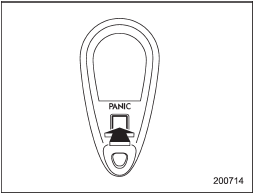
Sounding a panic alarm
A “PANIC” button is located on the back of the transmitter.
To activate the alarm, press the “PANIC” button once.
The horn will sound and the turn signal lights will flash.
To deactivate the panic alarm, press any button on the remote transmitter. Unless a button on the remote transmitter is pressed, the alarm will be deactivated after approximately 30 seconds.
See also:
Clock
NOTE
Your SUBARU dealer can change the settings of activating/deactivating the automatic
adjustment of the clock by the GPS (Global Positioning System) (for models with
the genuine SUBARU navigat ...
Ventilation
To force outside air through the instrument panel outlets:
1. Set the air inlet selection button to the OFF position.
2. Press the “” button.
3. Set the temperature control dial all the way left.
...
Setting Bluetooth® audio
1. Select the “BT-A SETUP” menu by pressing the “MENU” button.
2. Perform the following procedure while “BT-A” is displayed.
NOTE
You cannot set a Bluetooth® audio while driving. ...