


GVWR and GAWR (Gross Vehicle Weight Rating and Gross Axle Weight Rating)
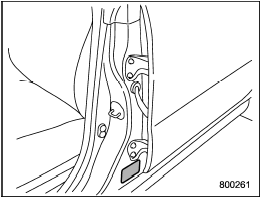
The certification label attached to the driver’s side doorjamb shows GVWR (Gross Vehicle Weight Rating) and GAWR (Gross Axle Weight Rating).
The GVW (Gross Vehicle Weight) must never exceed the GVWR. GVW is the combined total of weight of the vehicle, fuel, driver, all passengers, luggage and any optional equipment. Therefore, the GVW changes depending on the situation.
The GVWR equals Curb Weight (actual weight of your vehicle – including standard equipment, fluids, emergency tools and spare tire assembly) plus the vehicle capacity weight.
In addition, the total weight applied to each axle (GAW) must never exceed the GAWR. The front and rear GAWs can be adjusted by relocating luggage inside the vehicle.
Even if the total weight of your luggage is lower than the vehicle capacity weight, either front or rear GAW may exceed the GAWR, depending on the distribution of the luggage.
When possible, the load should be evenly distributed throughout the vehicle.
If you carry heavy loads in the vehicle, you should confirm that GVW and front and rear GAWs are within the GVWR and GAWR by putting your vehicle on a vehicle scale, found at a commercial weighing station.
Do not use replacement tires with a lower load range than the originals because they may lower the GVWR and GAWR limitations.
Replacement tires with a higher load range than the originals do not increase the GVWR and GAWR limitations.
See also:
Replacing the air cleaner element
Replace the air cleaner element according
to the maintenance schedule in the
“Warranty and Maintenance Booklet”. Under
extremely dusty conditions, replace it
more frequently. It is recommended ...
In case a problem occurs
If you cannot activate a device using the corresponding HomeLink® button after programming, contact HomeLink® at www.homelink.com or call 1-800-355- 3515 for assistance. ...
With CD mode selected
Press the “” button to skip
forward in the
track/file order. Press the “”
button to
skip backward in the track/file order. The
track/file number will be shown on the
audio display.
When t ...