


MUTE button (models without Hands-free system)
Subaru Forester / Subaru Forester Owners Manual / Audio / Audio control buttons (if equipped) / MUTE button (models without Hands-free system)
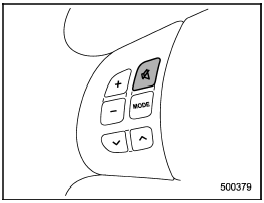
Press the “ ” button if you wish
to
immediately cut the volume to zero.
” button if you wish
to
immediately cut the volume to zero.
The audio display will show “MUTE”.
If you press the button again, the original sound volume will return and “MUTE” turns off.
See also:
Temperature control dial
Temperature control dial
This dial is used to set the desired interior
temperature. With the dial set to your
desired temperature, the system automatically
adjusts the temperature of air
su ...
Station preset
Preset buttons ...
Temperature A, B, C
The temperature grades are A (the highest), B, and C, representing the tire’s
resistance to the generation of heat and its ability to dissipate heat when tested
under controlled conditions on a sp ...