


PTY (Program type) group tuning only FM reception)
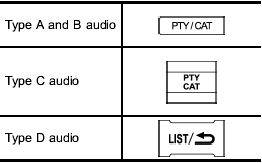
Press the indicated button to change to the PTY selection mode. At this time, the PTY group that you are currently listening to (type A, B and C audio)/that you selected the last time (type D audio) will be displayed for 10 seconds. In the PTY selection mode, “PTY” is displayed on the screen.
See also:
To disengage the service mode
Turn the ignition switch to the “ON” position, depress and hold the brake pedal, then press and release the “” button on the remote engine start transmitter three times. The system will pause for 1 se ...
Audio set
Your SUBARU may be equipped with one
of the following audio sets. Refer to the
pages indicated in this section for operating
details.
NOTE
If a cell phone is placed near the audio
set, it m ...
Key number
1) Key number plate
2) Security ID plate
The key number is stamped on the key number plate attached to the key set.
Write down the key number and keep it in another safe place, not in the vehicle ...