


Voice command system
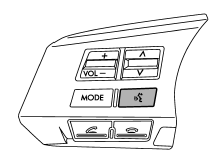
Talk switch
To turn on the voice command system, press the talk switch
 briefly. To turn off the voice command
system, press the talk switch for more
than 1.5 seconds.
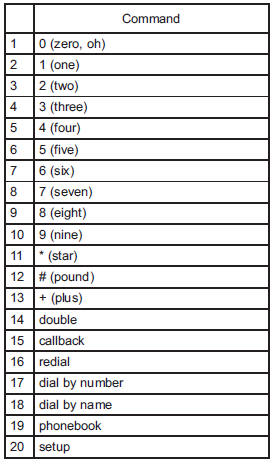
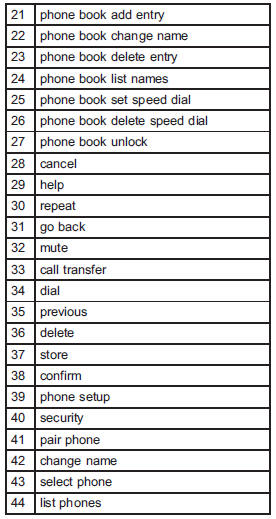
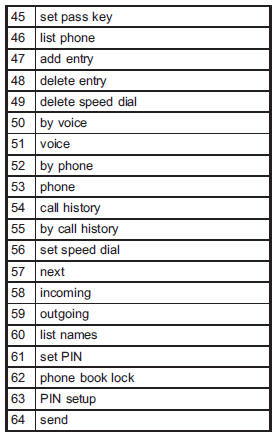
The commands available for the voice command system are listed in the following chart.
See also:
Installation of accessories
Always consult your SUBARU dealer before installing fog lights or any other electrical equipment in your vehicle. Such accessories may cause the electronic system to malfunction if they are incorrectl ...
ABS system self-check
Just after the vehicle is started, you may feel on the brake pedal a vibration similar to when the ABS operates, and you may also hear the sound of the ABS working from the engine compartment. This is ...
Turn signal lever
To activate the right turn signal, push the turn signal lever up. To activate
the left turn signal, push the turn signal lever down. When the turn is finished,
the lever will return automaticall ...