


Auto-store
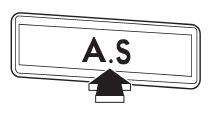
Using the Auto-store function, you can automatically store 6 stations on the current waveband by pressing the “A.S” button for more than 2 seconds. Use Autostore to quickly find the strongest stations, for example when traveling through different reception areas.
NOTE
● When you use Auto-store, the new stations replace any stations previously stored.
● Interrupting Auto-store: If you accidentally press the “A.S” (Auto-store) button, you can cancel the Auto-store function before it has been completed as follows.
– Switching to the other source – Switching to the other band – Press the “A.S” button – Press the “SCAN” button – Press the “SEEK” button – Press any of the preset buttons – Turn the “TUNE/TRACK/CH” dial – Turn off the audio system – Turn off the ignition switch
● When you use the Auto-store function while selecting the FM mode, even if you have selected the FM1 or FM2 station, the new stations are stored in the FM3 station.
● If it is only possible to receive less than 6 stations, the available stations are stored from preset 1 in order by frequency and the unused preset buttons are not registered to a station.
Also, the previously registered station memories of the unused preset buttons are cleared.
● If no stations can be received, the previously stored stations are not replaced.
● After pressing the “A.S” button, if more than 1 station is stored, the radio receives the station stored in preset 1.
● After pressing the “A.S” button, if no stations are stored, the radio receives the band and station that the radio received before pressing the button.
See also:
Tilting moonroof
1) Raise
2) Lower
The raising function will only operate when the moonroof is fully closed. The
lowering function will only operate when the moonroof is raised.
Press the rear side of the “UP/D ...
Locking the phonebook
1. Select the “PHBK LOCK”/“PHONEBOOK
LOCK” menu. Then “CURRENT
PIN?” is displayed.
2. Input the PIN code by operating the
“TUNE/TRACK/CH” dial or saying the
number.
3. Select the “CONFIRM” m ...
Unleaded gasoline
The neck of the fuel filler pipe is designed to accept only an unleaded gasoline
filler nozzle. Under no circumstances should leaded gasoline be used because it
will damage the emission control sy ...