


Station preset
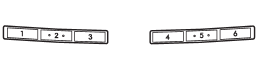
Preset buttons
See also:
Exterior
A sporty wagon that can get me where I need to go quickly and safely
shouldn't have to worry about what it looks like. It's just that I know those
crafty Subaru engineers can put together a sharp- ...
Temporary release
When the driver stops the vehicle and pulls the parking brake lever after manually setting the initial LSD torque, the LSD torque is temporarily minimized. However the indicator on the combination met ...
Overview
Fuji Heavy Industries Inc. (FHI), the maker of Subaru automobiles, announced
its plan to introduce the redesigned Subaru B9 Tribeca, now named Subaru
Tribeca, and to start sales in the U.S. this s ...