


AM selection
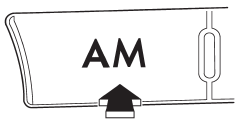
Press the “AM” button when the radio is on to select AM reception.
See also:
To select a chapter from its beginning when
connecting iPod®
While podcasts or audiobooks are playing,
select a chapter in the same way that a
track is selected when a CD is played. For
details, refer to “To select a track from its
beginning”. ...
Engine hood
To open the hood:
1. If the wiper blades are lifted off the
windshield, return them to their original
position.
2. Pull the hood release knob under the
instrument panel.
3. Release the se ...
Legacy Wagon
Other than the substitution of the wagon body at the rear, the Legacy wagon
is nearly identical to the sedan models in the lineup. The wagon’s cargo volume
is 34.3 cubic feet with the backseat up ...