


Multi function display
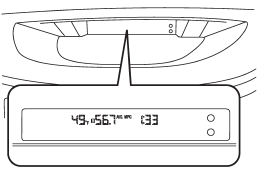
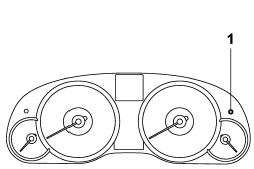
1) Multi function display switching knob
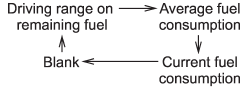
With the ignition switch in the “ON” position, each successive press of the multi function display switching knob toggles the display in the following sequence.
See also:
Steps for Determining Correct Load Limit
1. Locate the statement “The combined weight of occupants and cargo should never exceed XXX pounds” on your vehicle’s placard.
2. Determine the combined weight of the driver and passengers that will ...
Recommended cold tire inflation pressure
For the recommended cold tire inflation pressure for your vehicle’s tires, refer
to “Tires” F12-8. ...
Preset buttons
How to preset channels
1. Press the “SAT” button to select SAT1, SAT2 and SAT3 reception.
2. Select the desired channel.
3. Press one of the preset buttons for more than 1.5 seconds to store the ch ...