


Making a phone call from speed dial
It is possible to select a phone number from speed dial registered with the invehicle equipment to make a phone call.
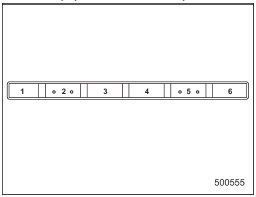
Preset buttons
1. Press the preset button in which the desired number is registered.
2. Press the OFF hook switch  .
.
NOTE
When a preset button for which numbers are not registered is pressed, an error message is indicated on the audio screen.
See also:
Parking tips
When parking your vehicle, always perform the following items.
● Apply the parking brake.
● For MT models, put the shift lever in the “1” (1st) for upgrade or “R” (Reverse)
for a downg ...
Gasoline for cleaner air
Your use of gasoline with detergent
additives will help prevent deposits from
forming in your engine and fuel system.
This helps keep your engine in tune and
your emission control system workin ...
Multi function display
1) Multi function display switching knob
With the ignition switch in the “ON” position, each successive press of the multi
function display switching knob toggles the display in the following s ...