


Type C audio set (if equipped)
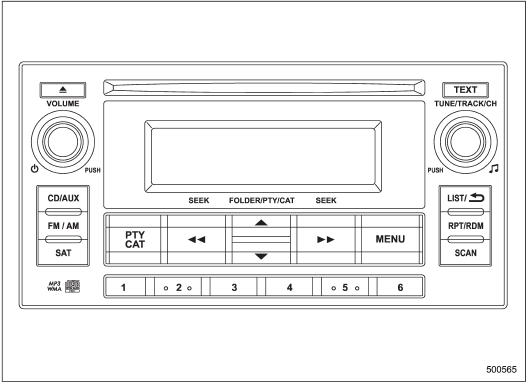
Type C audio set (if equipped)
The audio set will operate only when the ignition switch is in the “Acc” or “ON” position.
• Power and sound controls
• Radio operation
• Satellite radio operation (if equipped)
• CD (compact disc) player operation
• Auxiliary input jack
• USB storage device/iPod® operation
• Hands-free system
See also:
A/C – Air conditioner button
If the windshield starts to fog when the climate control system is operated in
the AUTO mode, press the air conditioner button “A/C” to defog and dehumidify. When
this button is pressed, the air ...
Vehicle Dynamics Control warning light (yellow)
The Vehicle Dynamics Control system provides its ABS control through the electrical circuit of the ABS system. Accordingly, if the ABS is inoperative, the Vehicle Dynamics Control system becomes u ...
Light control switch
The light control switch operates when the key is inserted into the ignition switch.
Regardless of the position of the light control switch, the illuminated lights are turned off when the key is remo ...