


Precautions to observe when handling a compact disc
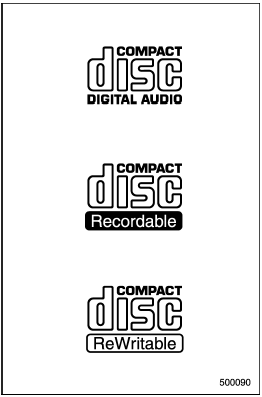
Use only compact discs (CDs, CD-Rs and CD-RWs) that have the mark shown in the following. Also, some compact discs cannot be played.
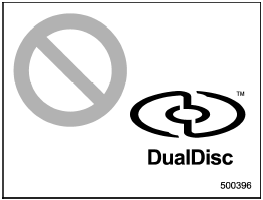
- You cannot use a DualDisc in the CD player. If you insert a DualDisc into the player, the disc may not come out again, possibly causing the player to malfunction.
- In cold and/or rainy weather, dew can form inside the CD player, preventing normal operation. If this happens, eject the CD and wait for the player to dry out.
- Skipping may occur when the CD player is subjected to severe vibration (for example, when the vehicle is driven on a rough surface).
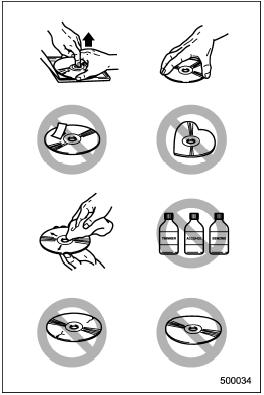
- To remove a disc from the case, press the center of the case and hold both edges of the disc. If the disc surface is touched directly, contamination could cause poor tone quality. Do not touch the disc surface.
- Use a clean disc whenever possible. If there are deposits, wipe the disc surface from the center outward with a dry, soft cloth. Be sure not to use a hard cloth, thinner, benzine, alcohol, etc.
- Do not use any disc that is scratched, deformed, or cracked. Also, do not use any disc that has a non-standard shape (for example, a heart shape). Malfunctions or problems might result.
- A disc is vulnerable to heat. Never keep it either in places exposed to direct sunlight, near heaters or in vehicles parked in the sun or on hot days.
- Insert discs one by one into the CD player (type B audio).
See also:
Driver’s SRS frontal airbag
The driver’s SRS frontal airbag uses a dual stage inflator. The inflator operates in different ways depending on the severity of impact.
Have the system inspected by your SUBARU dealer immediately if ...
Heating and defrosting
Heating and defrosting
To direct warm air toward the floor and the windshield:
1. Set the airflow control dial to the “” position.
2. Set the temperature control dial to the most comfortable level. ...
Programming for entrance gates and garage door openers in Canada
1. Unplug the motor of the entrance gate or garage door opener from the outlet.
NOTE
If any of the HomeLink® buttons are already programmed for other devices, skip step 2 because it clears the memor ...