


PTY (Program type) group tuning only FM reception)
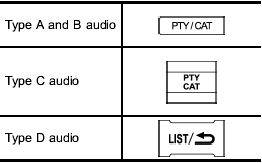
Press the indicated button to change to the PTY selection mode. At this time, the PTY group that you are currently listening to (type A, B and C audio)/that you selected the last time (type D audio) will be displayed for 10 seconds. In the PTY selection mode, “PTY” is displayed on the screen.
See also:
Compass zone adjustment
Compass calibration zones
1. Refer to the “Compass calibration zones” map shown above to verify that the
compass zone setting is correct for your geographical location.
2. Press and hold the com ...
Air conditioner compressor shut-off when engine is heavily loaded
To improve acceleration and gas mileage, the air conditioner compressor is designed
to temporarily shut off during air conditioner operation whenever the accelerator
is fully depressed such as dur ...
Synthetic leather upholstery
The synthetic leather material used on the SUBARU may be cleaned using mild soap
or detergent and water, after first vacuuming or brushing away loose dirt. Allow
the soap to soak in for a few minu ...