


FM selection
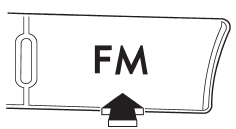
Press the “FM” button when the radio is on to select FM1, FM2 or FM3 reception.
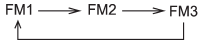
Each brief press of the “FM” button changes the radio in the following sequence starting from the last FM radio band that you selected.
See also:
Remote engine start system (dealer option)
WARNING
● Do not remote start a vehicle in an enclosed environment (e.g. closed garage).
Prolonged operation of a motor vehicle in an enclosed environment can cause a harmful
build-up of Ca ...
Moonroof (if equipped)
WARNING
Never let anyone’s hands, arms, head or any objects protrude from the moonroof.
A person could be seriously injured if the vehicle stops suddenly or turns sharply
or if the vehicle is inv ...
How to insert a CD(s) (type B)
1. Briefly press the button. If
the
magazine in the player has an idle
position where you can insert a disc, the
disc number indicator associated with the
idle position will blink.
If no i ...