


Air conditioner button
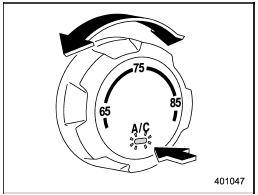
Air conditioner button
The button positions and their functions are as follows.
ON: The air conditioner operates while the fan is running.
Push the button to select this position. The indicator light will illuminate.
OFF: The air conditioner does not operate.
Push the button again to select this position. The indicator light will turn off.
AUTO: Turn the fan speed control dial and airflow control dial to the AUTO position.
The air conditioner compressor operation is then adjusted automatically in accordance with the air temperature inside and outside the passenger compartment, the intensity of sunlight, and other factors.
Pressing the button cancels the “AUTO” mode. To return to “AUTO” mode, turn the fan speed control dial or airflow control dial to a position other than the AUTO position. Then turn to “AUTO” mode.
SUBARU recommends using the AUTO position.
NOTE
The air conditioner’s compressor does not operate with an outside temperature of 328F (08C) or lower.
See also:
Oil pressure warning light
CAUTION
Do not operate the engine with the oil pressure warning light on. This may cause
serious engine damage.
If this light illuminates when the engine is running, it may indicate that the
e ...
Traction AA, A, B, C
The traction grades, from highest to
lowest, are AA, A, B and C. Those
grades represent the tire’s ability to
stop on wet pavement as measured
under controlled conditions on specified governme ...
Display selection
If you press the “TEXT” button during playback, the indication will change to
the next one in the following sequence.
For CD-DA:
...