


Current fuel consumption (if equipped)
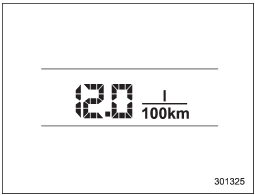
This indication shows the rate of fuel consumption at the present moment.
See also:
Replacing the air cleaner element
Replace the air cleaner element according to the maintenance schedule in the
“Warranty and Maintenance Booklet”. Under extremely dusty conditions, replace it
more frequently. It is recommended tha ...
The Inside
While it's possible to get fairly comfortable in many cars, it's not every
day that you feel like everything is right in terms of your driving position,
and that's how I felt in the Impreza 2.5GT. ...
Vanity mirror with light
CAUTION
Keep the vanity mirror cover closed while the car is being driven to avoid being
blinded by glare.
To use the vanity mirror, swing down the sun visor and open the vanity mirror
cover. ...