


Select lever/gear position indicator (AT models)
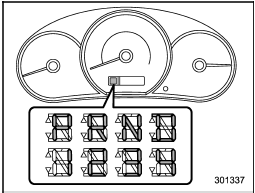
When the ignition switch is turned to the “ON” position, all of the select lever/gear position indicators illuminate for 2 seconds, and then the indicator shows the position of the select lever.
When the manual mode is selected, the gear position indicator (which shows the current gear selection) and the upshift/ downshift indicator light up. Refer to “Automatic transmission”.
See also:
To increase the speed (by accelerator pedal)
1. Depress the accelerator pedal to accelerate the vehicle to the desired speed.
2. Press the “RES/SET” switch to the “SET” side once. Now the desired speed is
set and the vehicle will keep running ...
Models without HID headlights
NOTE
This vehicle does not contain mercury devices or parts. ...
Child safety locks
Each rear door has a child safety lock that
prevents the door from being opened even
if the inside door handle is pulled.
When the child safety lock lever is in the
lock position, the door ca ...