


Power door locking switches
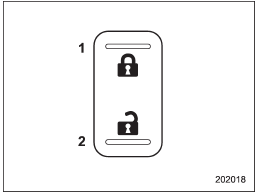
Type A
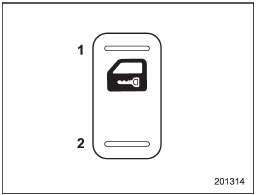
Type B
1) Lock
2) Unlock
All doors and the rear gate (for 5-door) can be locked and unlocked by the power door locking switches located at the driver’s side and the front passenger’s side doors.
To lock the doors, push the front side of the switch.
To unlock the doors, push the rear side of the switch.
When you close the doors after you set the door locks, the doors remain locked.
NOTE
Make sure that you do not leave the key inside the vehicle before locking the doors from the outside using the power door locking switches.
See also:
Electronic Brake Force Distribution (EBD) system
The EBD system maximizes the effectiveness of the brakes by allowing the rear
brakes to supply a greater proportion of the braking force. It functions by adjusting
the distribution of braking forc ...
Power folding mirror switch (if equipped)
Power folding mirror switch (if equipped)
The power folding mirror switch operates
only when the ignition switch is in the “ON”
or “Acc” position.
To fold the outside mirrors, push the power ...
Door open warning light
When the ignition switch is in the “ON” position, the door open warning light
illuminates for approximately 2 seconds and then turns off.
The door open warning light illuminates if any door, the ...