


Warning and indicator lights
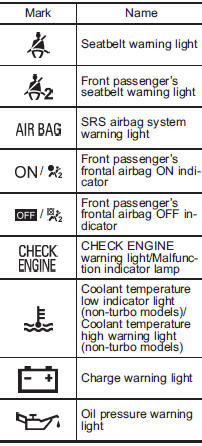
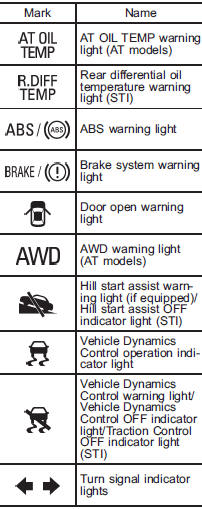
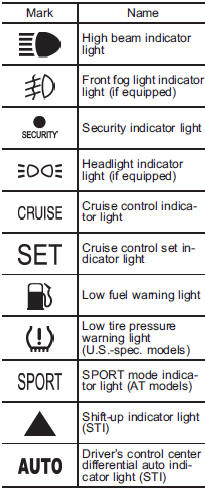
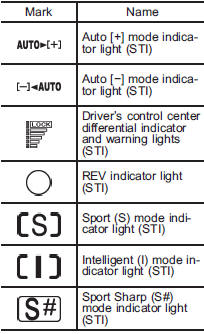
See also:
Select lever/gear position indicator (AT models)
When the ignition switch is turned to the “ON” position, all of the select lever/gear position indicators illuminate for 2 seconds, and then the indicator shows the position of the select lever.
Wh ...
Driving when tired or sleepy
WARNING
When you are tired or sleepy, your reaction will be delayed and your perception,
judgment and attentiveness will be impaired. If you drive when tired or sleepy,
your, your passengers’ and ...
Roof molding and crossbar (if equipped)
• For cargo carrying purposes, the roof molding must be used together with a roof crossbar kit and the appropriate carrying attachment.
Otherwise, damage to the roof or paint or a dangerous roa ...