


Dome light, map light, cargo area light and door step light

When the door is opened, the map light illuminates and becomes very hot. When replacing the map light bulb, close the door and be careful not to burn yourself.
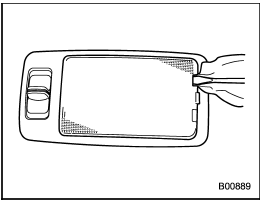
Dome light (type A)
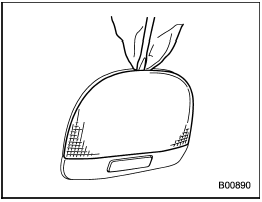
Dome light (type B)
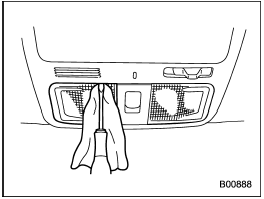
Map light
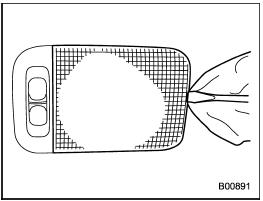
Cargo area light
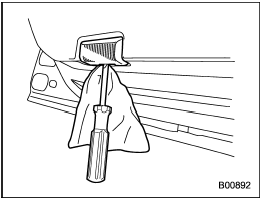
Door step light
1. Remove the lens by prying the edge of the lens with a flat-head screwdriver.
2. Pull the bulb out of the socket.
3. Install a new bulb.
4. Reinstall the lens.
See also:
Cruise control indicator light
The cruise control indicator light illuminates when the ignition switch is turned
to the “ON” position and turns off after approximately 3 seconds.
The light illuminates when the “CRUISE” main sw ...
With CD mode selected
Press the “” button to skip
forward in the
track/file order. Press the “”
button to
skip backward in the track/file order. The
track/file number will be shown on the
audio display.
When t ...
CD player operation
NOTE
- Make sure to always insert a disc
with the label side up. If a disc is
inserted with the label side down, the
player displays “CHECK DISC”. Refer
to “When the following messages are
...