


Volume control
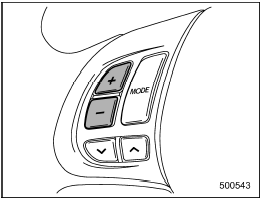
Volume control
You can adjust the phone call volume, the voice volume and the voice guidance volume. Refer to “Volume control buttons”.
See also:
When there are CDs loaded (type B)
Press a desired one of the disc select
buttons (from
to
) the disc
number indicator of which steadily lights
up. The player will then start playback of
the selected CD, beginning with the f ...
Examples of the types of accidents in which deployment of the
driver’s/driver’s and front passenger’s SRS frontal airbag(s) is unlikely to
occur.
1) The vehicle strikes an object, such as a
telephone pole or sign pole.
2) The vehicle slides under the load bed of
a truck.
3) The vehicle sustains an oblique offset
frontal impact.
4) Th ...
If you have accidentally triggered the alarm system
To stop the alarm
Perform any of the following operations.
● Press any button on the remote transmitter.
● Turn the ignition switch to the “ON” position. ...