


Band selection
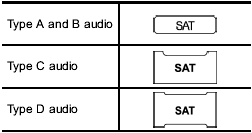
Push the “SAT” button when the radio is off to turn on the radio.
Push the “SAT” button when the radio is on to select SAT1, SAT2 or SAT3 reception.
See also:
2010 Subaru Outback review
A few things have changed with the 2010 Subaru Outback. It's undergone a
redesign that's full of positive changes, but there's one change I'm not crazy
about - the exterior. It looks like it's bee ...
REV indicator light and buzzer (STI)
The REV alarm system issues a warning using the REV indicator light (and a buzzer if additionally selected) when the engine speed reaches a level previously set using the trip knob.
If you press th ...
Selecting reverse gear
1) Slider
You must raise the slider and hold it in that position before you can move the shift lever to the “R” position.
To change gears, fully depress the clutch pedal, move the shift lever, and ...