


Type D audio set (if equipped)
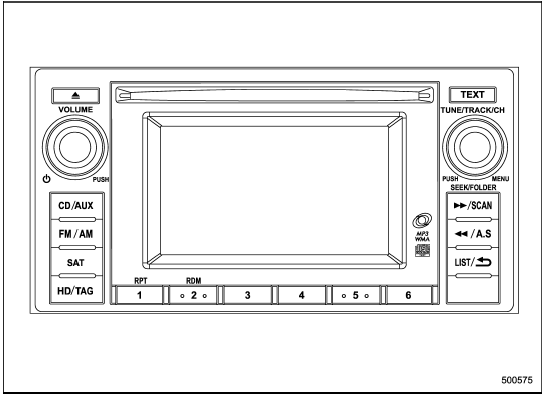
Type D audio set (if equipped)
The audio set will operate only when the ignition switch is in the “Acc” or “ON” position.
- Power and audio controls: refer to page
- Radio operation: refer to page
- Satellite radio operation (if equipped): refer to page
- CD (compact disc) player operation: refer to page
- Auxiliary input jack: refer to page
- USB storage device/iPod® operation: refer to page
- Hands-free system: refer to page
See also:
Refueling in cold weather
To help prevent moisture from forming in the fuel system and the risk of its
freezing, use of an antifreeze additive in the fuel tank is recommended during cold
weather. Use only additives that ar ...
Ignition switch
WARNING
● Never turn the ignition switch to “LOCK” while the vehicle is being driven
or towed because that will lock the steering wheel, preventing steering control.
And when the engine is ...
Pocket (if equipped)
CAUTION
Do not use the pocket as an ashtray or leave a lighted cigarette in the pocket.
This could cause a fire.
To use the pocket, open the lid. ...