


Double trip meter
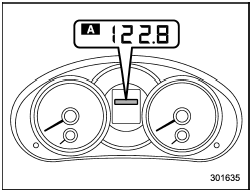
Type A
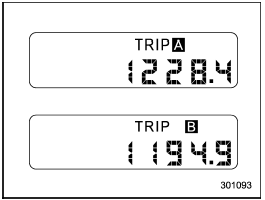
Type B
The trip meter shows the distance that the vehicle has been driven since you last set it to zero.
To set the trip meter to zero, select the A trip or B trip meter by pushing the knob and keep the knob pushed for more than 2 seconds.

To ensure safety, do not attempt to change the function of the indicator during driving, as an accident could result.
NOTE
If the connection between the combination
meter and battery is broken for any
reason such as vehicle maintenance or
fuse replacement, the data recorded on
the trip meter will be lost.
See also:
When checking or servicing in the engine compartment while the engine is
running
A running engine can be dangerous.
Keep your fingers, hands, clothing,
hair and tools away from the cooling
fan, belts and any other moving
engine parts. Removing rings,
watches and ties ...
Disarming the system
To disarm the system, briefly press the “” button on the transmitter. ...
Sirius satellite radio
Sirius satellite radio is a recent innovation that allows the listener to experience digital sound quality and to have a greater variety of channels.
Use of satellite radio (Sirius) requires a tuner, ...