


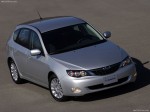
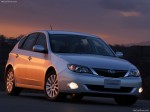
Subaru Impreza 5-Door (2008)
Subaru Impreza / Gallery / Subaru Impreza 5-Door (2008)
|

|

|

|

|
|
See also:
Checking air conditioning system before summer season
Check the air conditioner unit for refrigerant leaks, hose conditions, and proper operation each spring. Have the air conditioning system checked by your SUBARU dealer. ...
Measuring and adjusting air pressure to achieve proper inflation
Check and, if necessary, adjust the
pressure of each tire (including the
spare) at least once a month and
before any long journey. Check the
tire pressures when the tires are
cold. Use a pre ...
Accessory power outlets
Power outlet below the climate control dials
Power outlet in the center console (except STI)
Power outlet in the center console (STI)
Accessory power outlets are provided below the climate control ...